
Give any website a different timezone
Your computer's clock never changes. The sites you choose see whatever timezone you pick — and each one can have its own.
Works in Chrome 111 and later. No account, no setup.
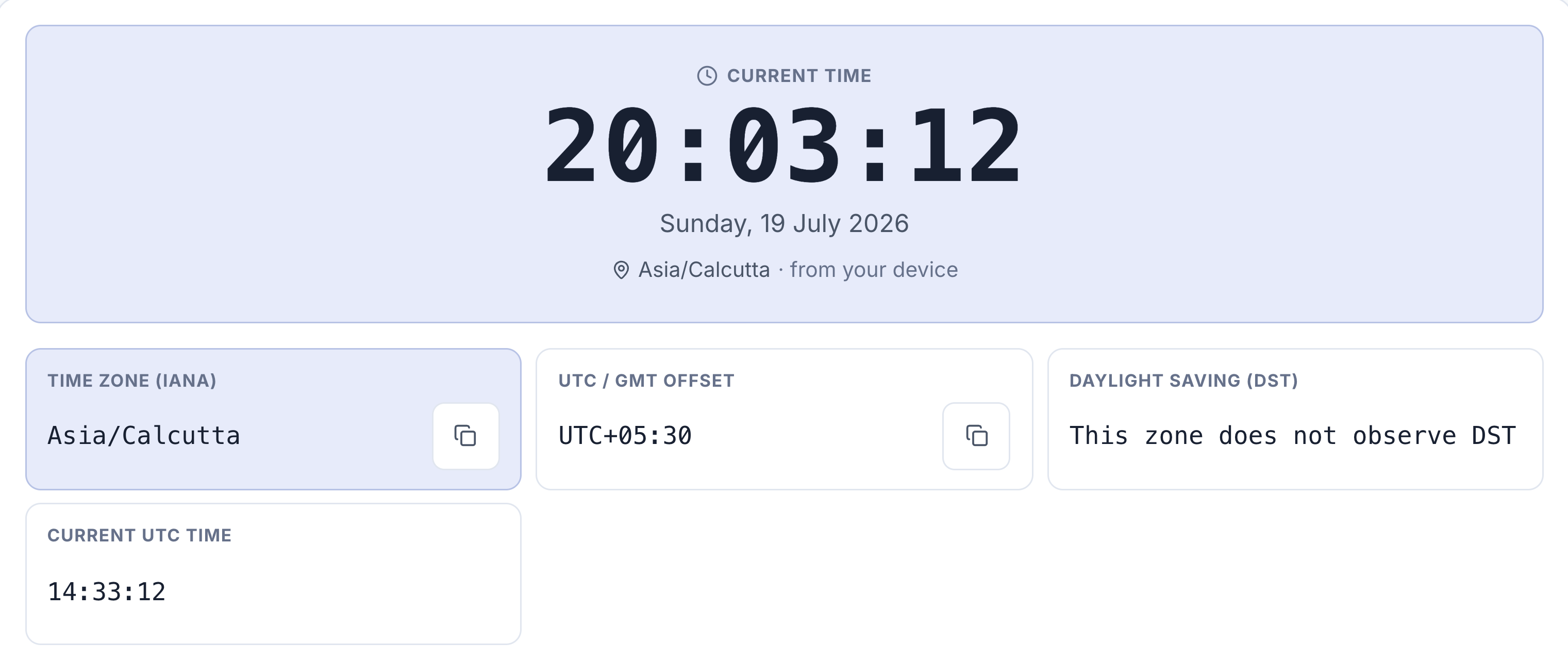
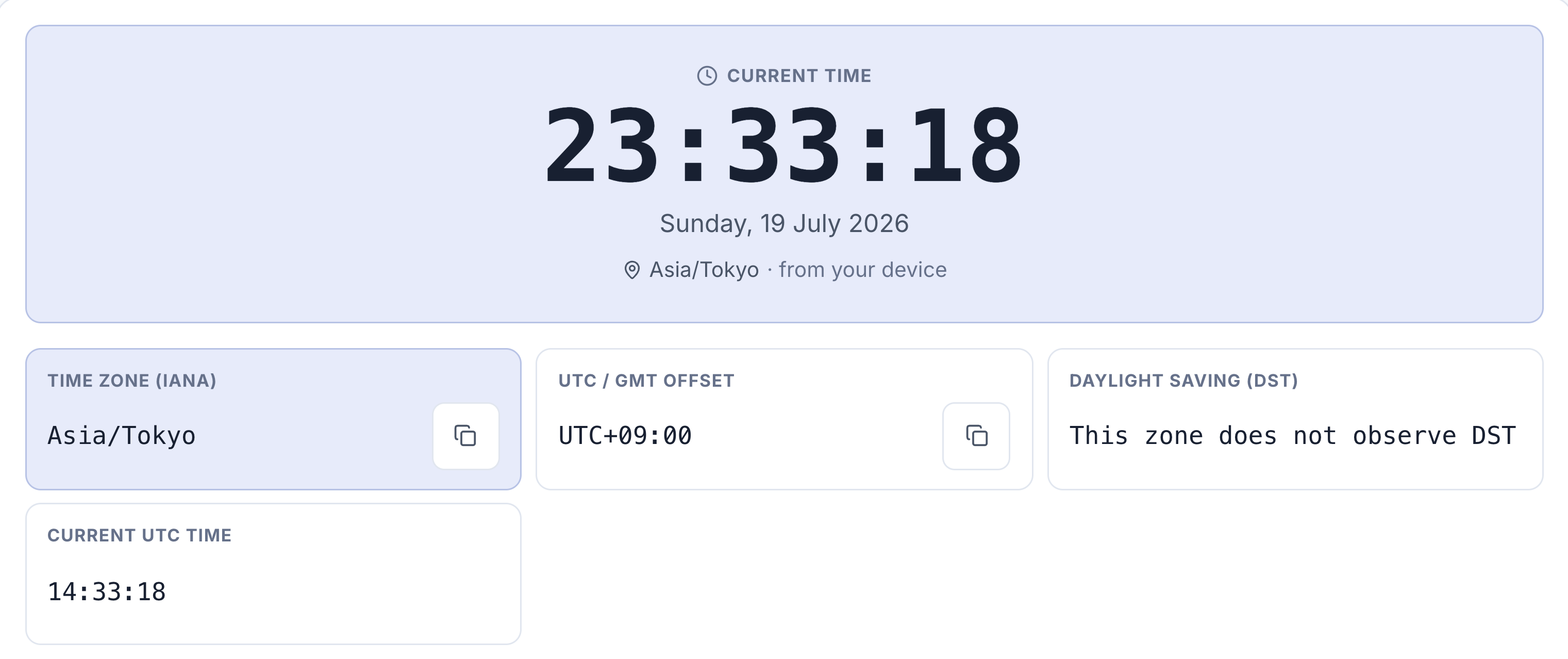
The same page on the same computer, seconds apart. Only the timezone changed — the UTC clock underneath is identical in both.
When a site shows the wrong times
Some sites insist on showing times wherever your computer happens to be. If any of these is you, that is the wrong answer all day long.
Working with a team abroad
See your calendar, tickets and dashboards on their clock instead of doing the arithmetic every time.
Travelling
Keep your work tools on home time while your laptop follows wherever you actually are.
Something happening elsewhere
A launch, a match, a sale — shown in the timezone it is happening in, not translated into yours.
Checking your own site
See what an overseas visitor sees, without touching your system clock or spinning up a VM.
Click the icon, pick a timezone
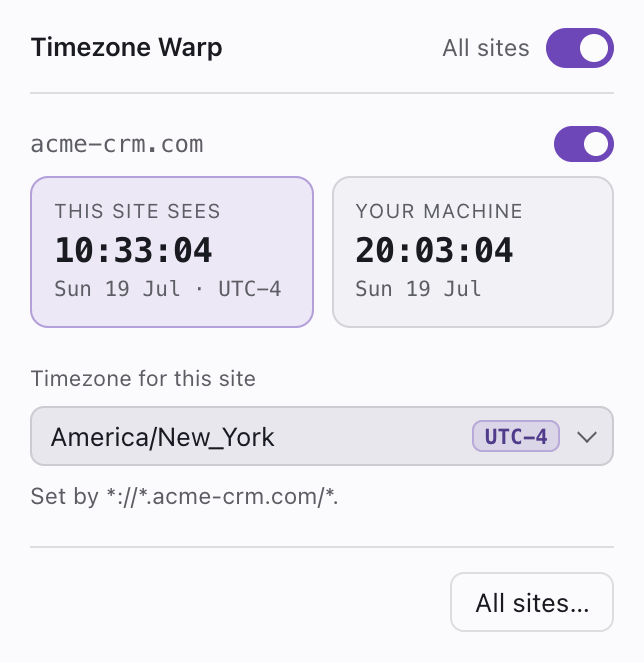
That is the whole thing. The popup shows two clocks side by side — what the site now sees, and what your machine sees — so the difference is never a guess.
A badge on the toolbar icon shows the active offset whenever a tab is being changed, so you never forget one is showing you a different time.
Per site, not per browser
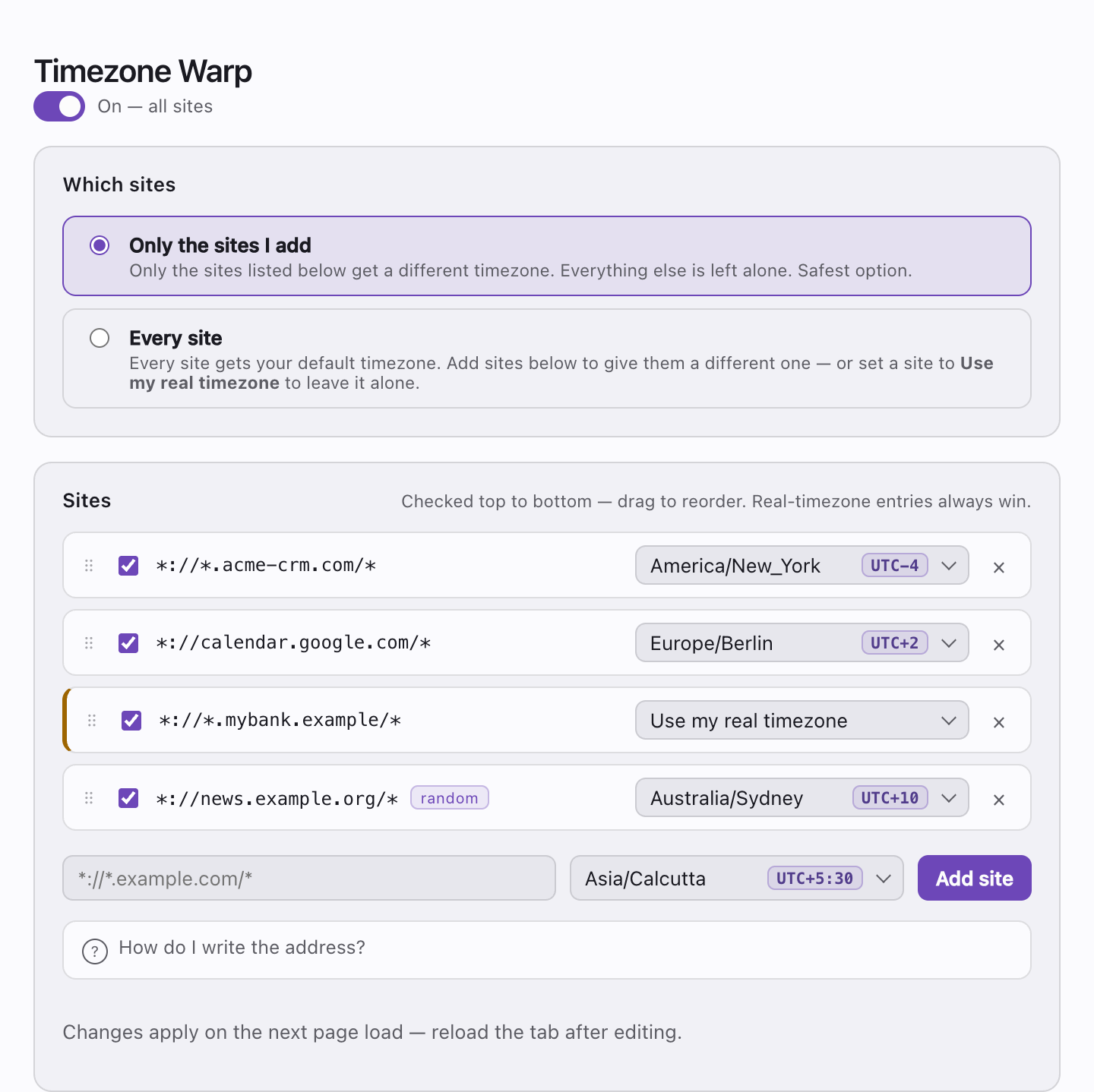
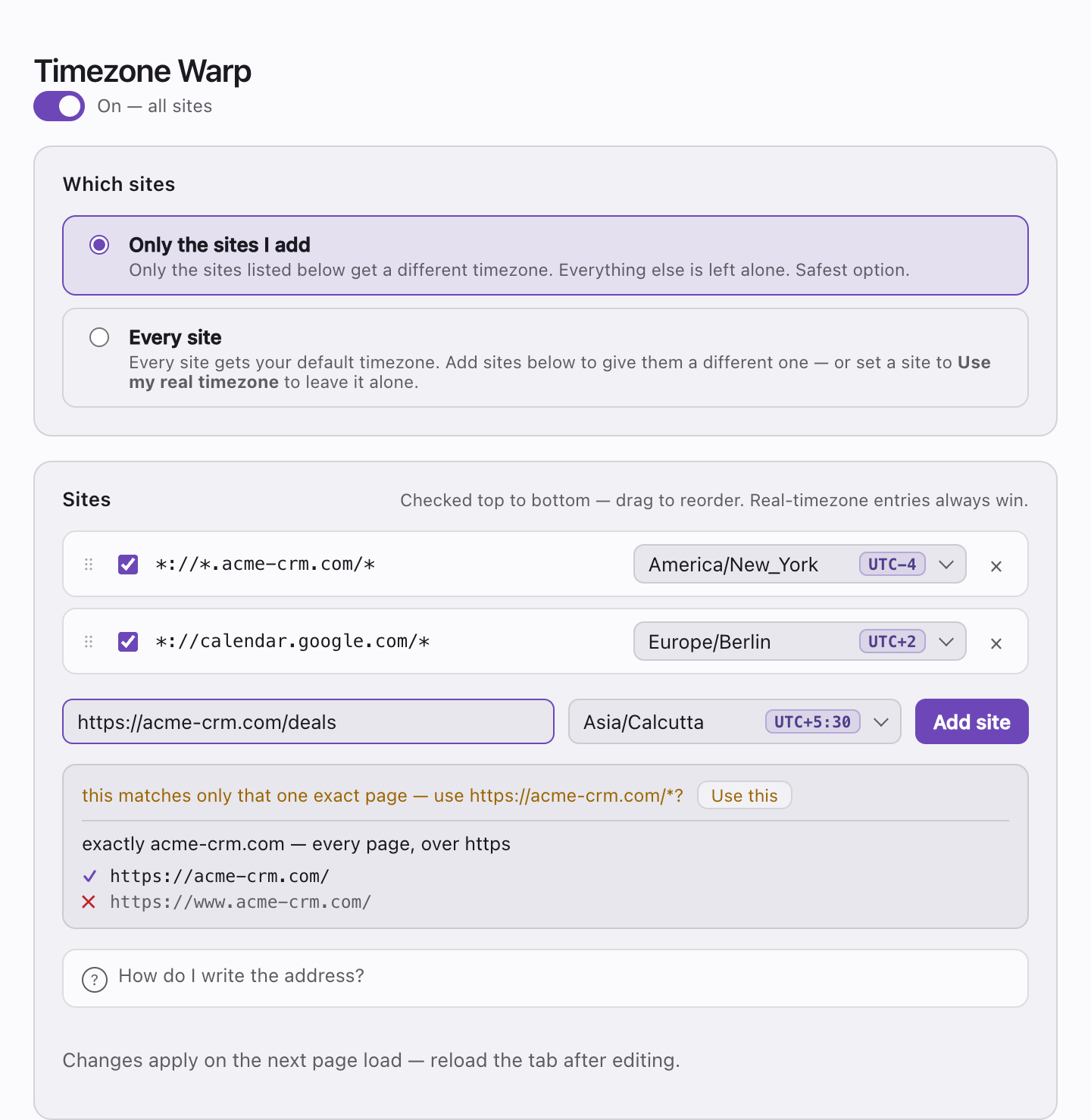
Most timezone extensions apply one setting to everything. This one works from a list of sites.
- Change the timezone on just the sites you name
- Or change it everywhere, with exceptions for the ones to leave alone
- Give different sites different timezones at the same time
- Set a random timezone, reshuffled each time Chrome restarts
Accurate, not approximate
Timezones are full of edge cases, and this handles them properly.
Daylight saving transitions, historical offsets, half-hour and 45-minute zones, and the ambiguous hour when clocks go back are all correct — because the offsets come from the browser's own timezone data rather than a fixed number.
Paste an ordinary web address and it is converted for you, showing exactly which pages it will and will not cover before you save.
What it does not do
Timezone Warp changes the timezone a web page can read. It does not change your IP address, your location, or your language settings.
If your aim is to hide where you are, timezone is one signal among many and changing it alone will not achieve that — an inconsistent one can stand out more than an honest one. This is a utility for showing times the way you want them, not a privacy tool.
Privacy
Timezone Warp collects no data. It makes no network requests, contains no analytics, and sends nothing anywhere.
Your list of sites and their timezones is saved with Chrome's own settings storage. If you have Chrome Sync switched on, Chrome replicates it to your other Chrome installations through your Google account — that is Chrome doing it rather than us, and we never receive or hold a copy. Switching Chrome Sync off keeps it on the one machine.
The extension requests access to a site only at the moment you add it, one site at a time. It cannot read or change any site you have not explicitly chosen.
Read the full privacy policy →
This page has no cookies, no trackers and no analytics either.
Support
Something behaving oddly, or a timezone case that looks wrong? Get in touch and include the site and the timezone you had set.